
Solscan serves as an indispensable tool for navigating the Solana network, one of the most efficient and scalable layer-1 blockchains available today. Launched in 2021 and acquired by Etherscan in January 2024, Solscan provides detailed, real-time insights into Solana's ecosystem, which in late 2025 boasts an average of over 2,000 transactions per second (TPS), processes more than 34 billion transactions annually, and supports a decentralized finance (DeFi) total value locked (TVL) exceeding $9 billion at peak times and now at 8.2B.
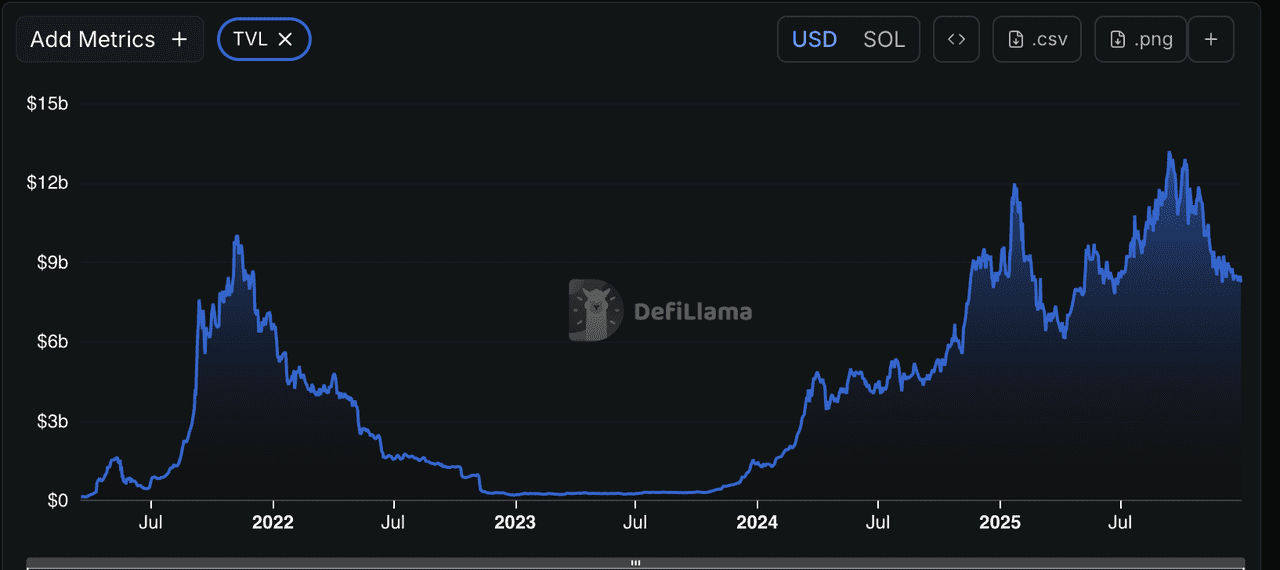
Source: Solana TVL DefiLlama
With Solana's low fees averaging $0.00025 per transaction and over 2 million daily active addresses, Solscan empowers users from novice traders to advanced developers to track transactions, analyze wallets, monitor tokens and NFTs, and assess network performance.
This guide explores Solscan's core functionalities, its evolution post-acquisition, and practical steps for utilization, highlighting how it enhances transparency in a blockchain that has grown to handle billions in daily volume while maintaining high-speed operations.
What Is Solscan, Solana Blockchain Explorer?
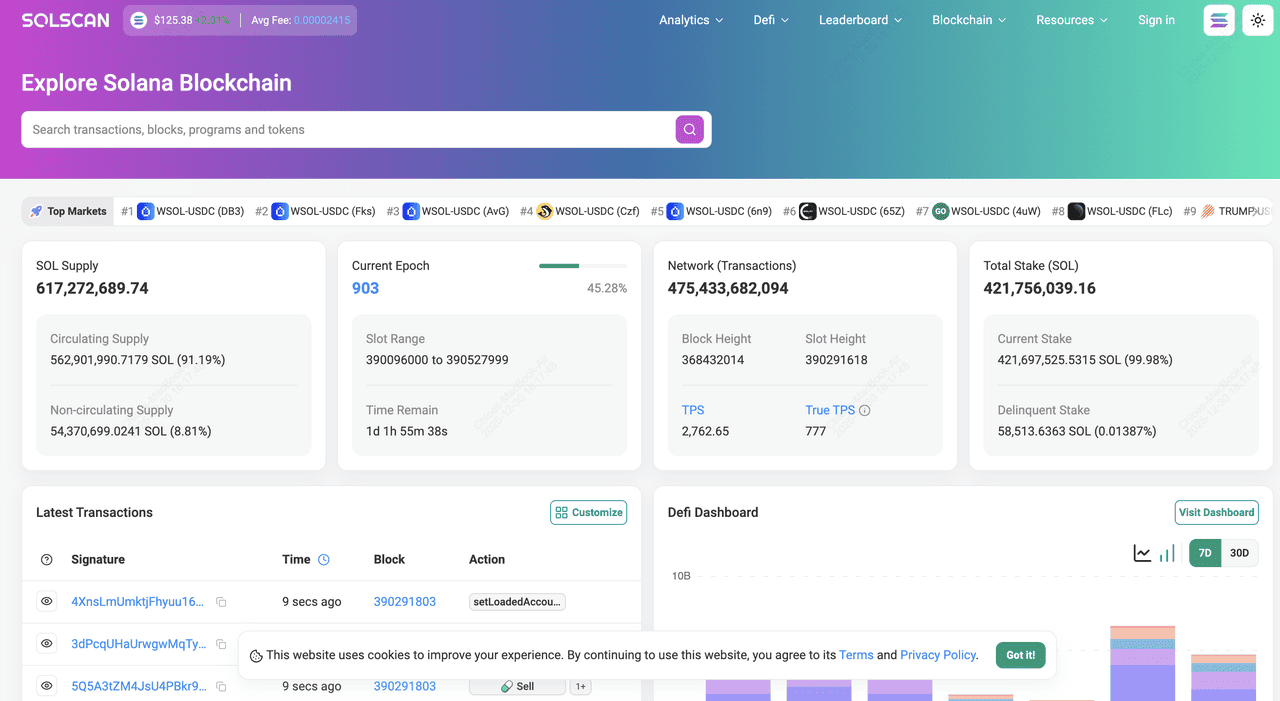
Source: Solscan
Solscan is a user-friendly blockchain explorer specifically designed for the Solana network, offering a centralized interface to query and visualize on-chain data since its inception in 2021. Following its acquisition by Etherscan in January 2024, Solscan has integrated advanced cross-chain capabilities, serving as a bridge for users tracking Solana's high-throughput environment alongside other ecosystems like Ethereum.
In 2025, Solscan processes queries for a network that has accumulated over 362 million unique addresses and executed trillions in cumulative transaction value, providing decoded views of Solana's unique account model and program interactions. Unlike basic explorers, Solscan deciphers complex instructions from Solana's runtime, making it easier to understand token swaps, NFT mints, or staking operations in a blockchain renowned for its parallel processing and low latency, often achieving block times under 400 milliseconds.
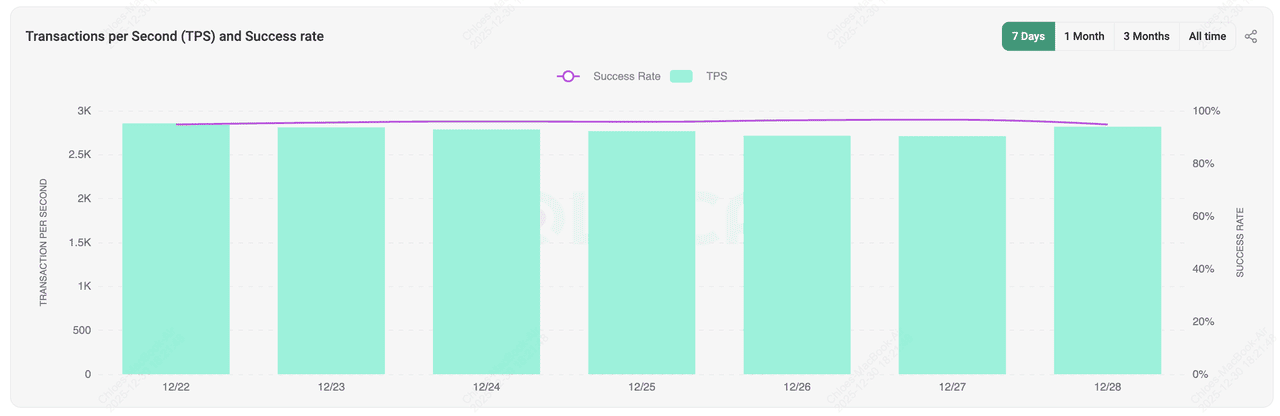
Source: Solscan Analytics
What Are the Key Features and Functions of Solscan Explorer?
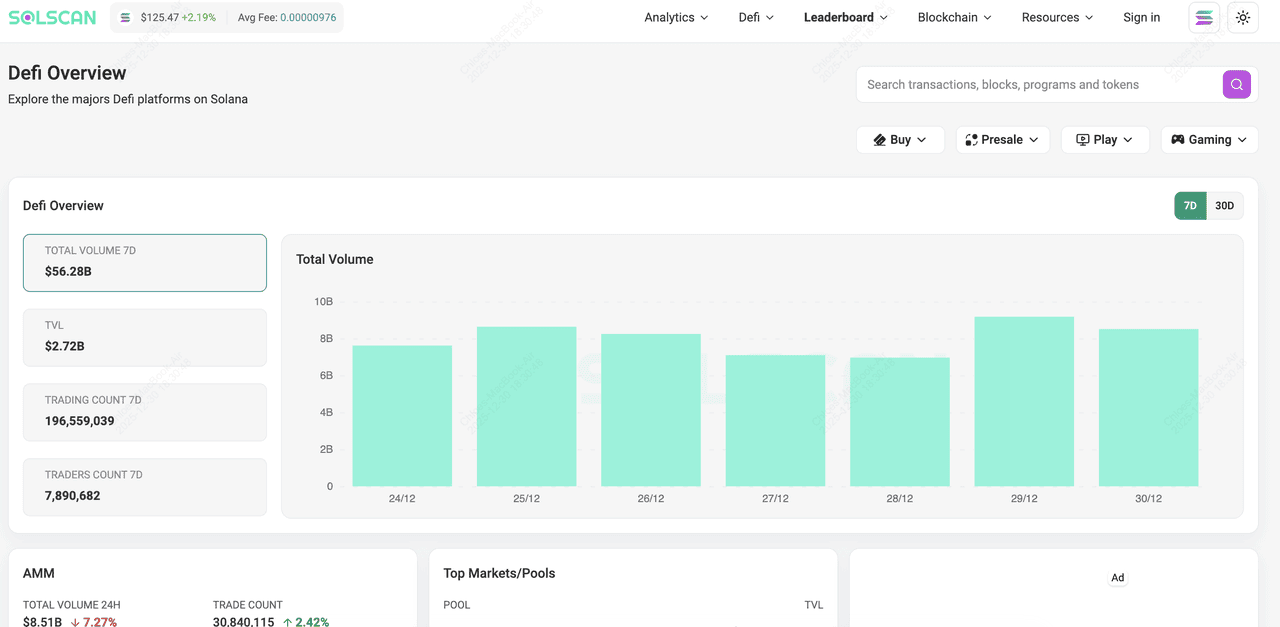
Solscan's key features encompass:
1. Comprehensive transaction decoding with detailed breakdowns of inputs, outputs, and fees
2. Wallet analytics displaying SOL balances, token holdings, and historical activities
3. Token explorers showing mint addresses, supply metrics, and top holders
4. NFT tools for viewing collections, metadata, rarity scores, and transaction histories
5. DeFi dashboards tracking protocols with TVL charts; staking overviews for over 3,000 validators with uptime and commission data; and network-wide statistics including real-time TPS, block production, and epoch details.
Enhanced post-acquisition functions include scam detection alerts, transaction simulation to preview outcomes, multilingual support for global users, customizable API endpoints for developers handling millions of queries daily, and data exports in CSV or JSON formats for advanced analysis, all contributing to its role in supporting Solana's ecosystem where daily transaction counts exceed 100 million.
What Is Solscan Used for?
Solscan is primarily used for
1. Verifying the status and details of transactions to confirm successful transfers or executions
2. Monitoring wallet activities to track balances, incoming/outgoing funds, and associated risks
3. Analyzing token metrics such as circulating supply, holder distributions, and price histories
4. Exploring NFT ecosystems by inspecting collections, ownership chains, and market trends in Solana's booming NFT sector
5. Auditing DeFi positions across protocols like Serum or Raydium, with real-time TVL and yield data
6. Evaluating staking opportunities by reviewing validator performance, where Solana's staked SOL exceeds 300 million; and gaining holistic network insights, such as daily active users peaking at 2.2 million or transaction volumes surpassing 100 million per day,
These use cases make Solscan a vital tool for due diligence, debugging, and strategic decision-making in Solana's dynamic environment.
When Did Solscan Launch and Who Founded It?
Solscan was founded in April 2021 by Le Ho and Long Vuong, a duo based in Vietnam with a Singapore headquarters, who bootstrapped the project before securing a $4 million seed round in September 2021 from investors including Multicoin Capital, Alameda Research, and Electric Capital. Le Ho, with expertise in software engineering, and Long Vuong, a blockchain veteran, aimed to create a transparent explorer for Solana's growing ecosystem, which at launch handled under 1,000 TPS but has since scaled dramatically. Their vision led to rapid adoption, culminating in the 2024 acquisition by Etherscan, integrating Solscan into a broader suite of tools while preserving its focus on Solana's unique architecture.
How to Use Solscan: A Step-By-Step Guide
Solscan's intuitive design centers around a powerful search bar, supported by tabs for analytics, tokens, NFTs, and more, making navigation seamless even for first-time users.
Step 1: Visit Solscan and Use the Search Bar
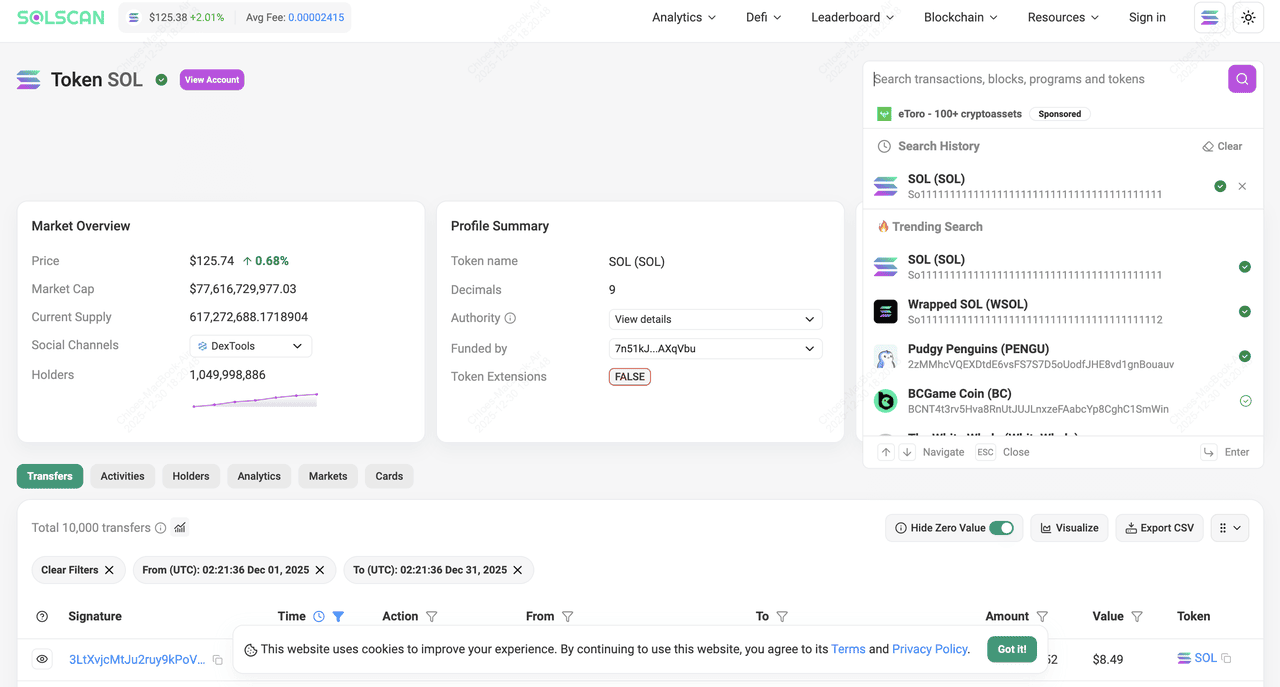
Go to solscan.io and enter any Solana address, transaction signature, token mint, block number, or NFT ID directly into the central search field. Results appear instantly with decoded, human-readable details.
Step 2: Look Up a Solana Wallet Address
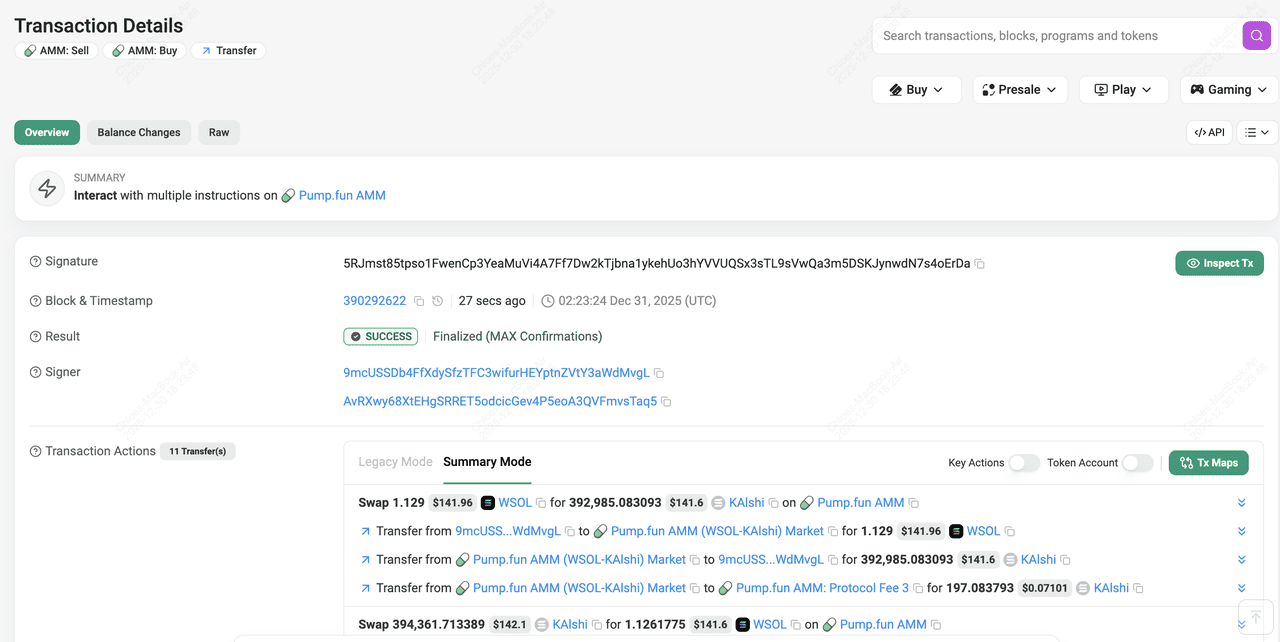
Search for a public wallet address to view its overview page, showing current SOL balance, token holdings with values, recent transactions, staking positions, and associated NFTs. Tabs allow deeper dives into history or rewards.
Step 3: Examine a SOL Transaction
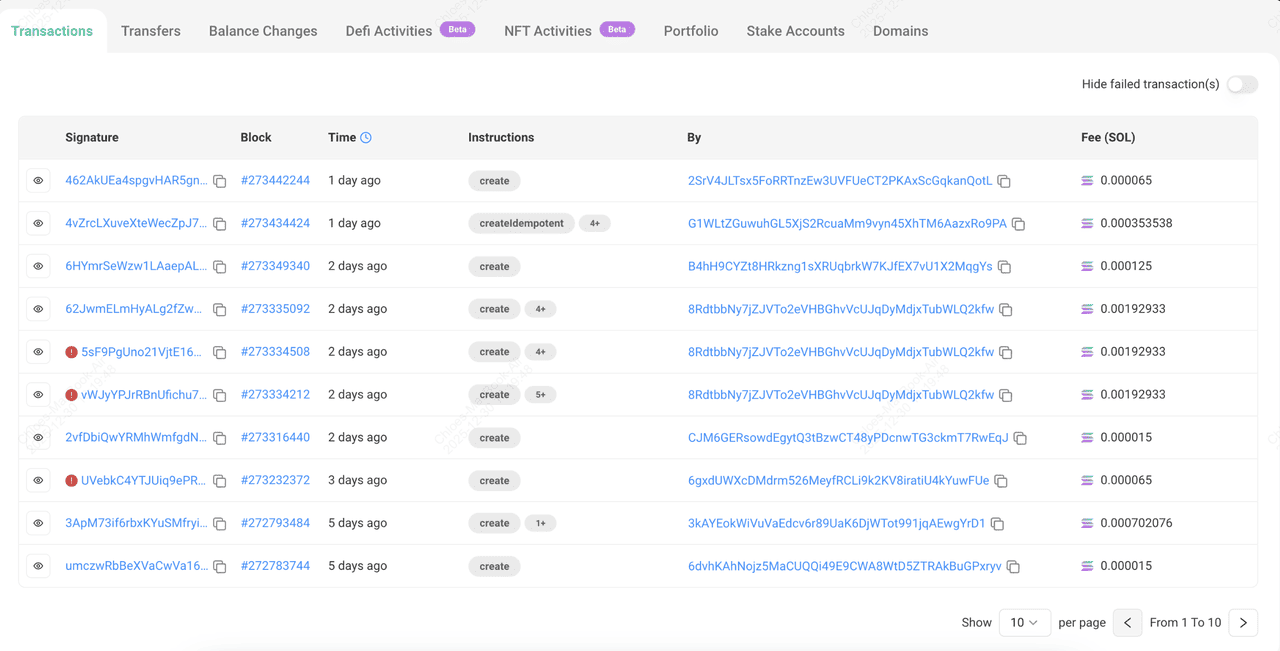
Input a transaction signature to access a detailed breakdown, including status (success/failed), timestamp, fee paid, signer, program interactions, and inner instructions for complex actions like swaps or mints.
Step 4: Explore SOL and Other SPL Tokens
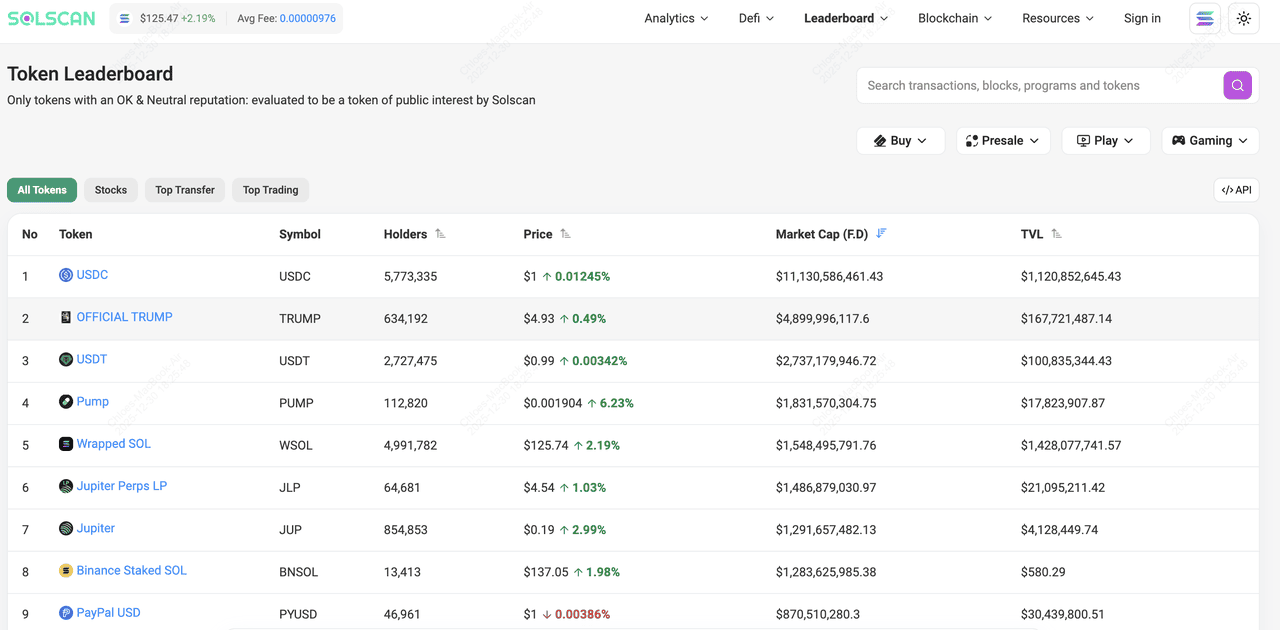
Enter a token mint address for supply information, market cap integration, top holders list, transfer volume charts, and security flags if applicable.
Step 5: View Solana NFTs and Collections
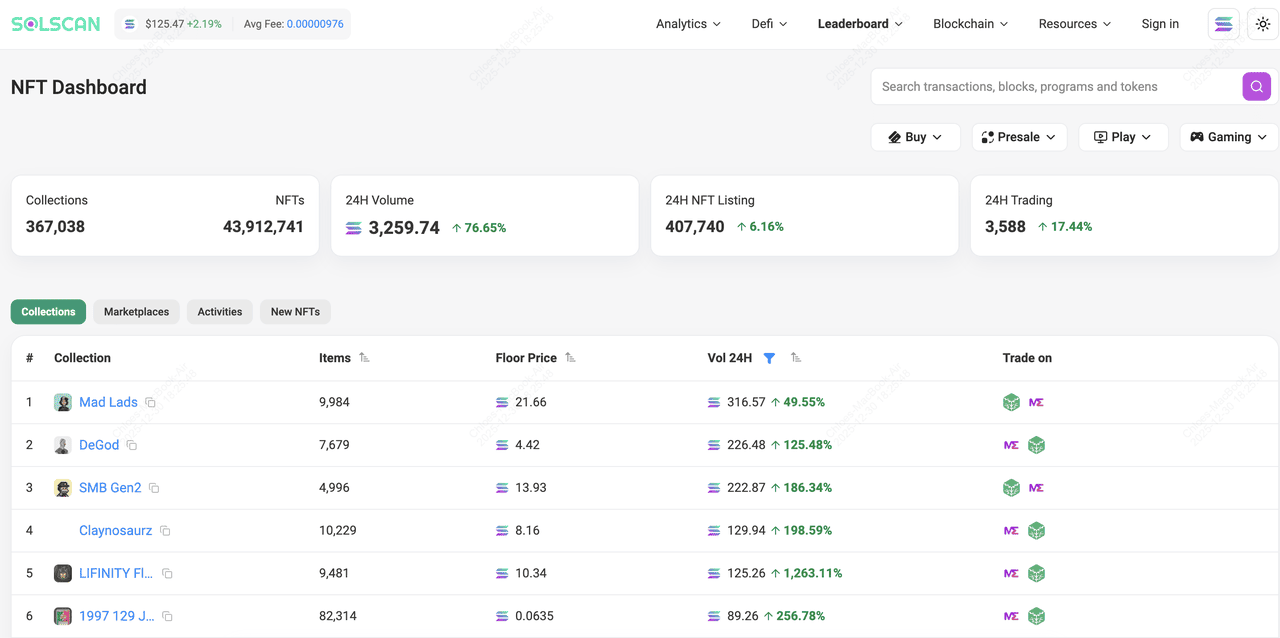
Search for an NFT mint or collection to see metadata, attributes, rarity rankings, ownership history, and floor price trends.
Step 6: Navigate the Solscan Dashboard and Analytics
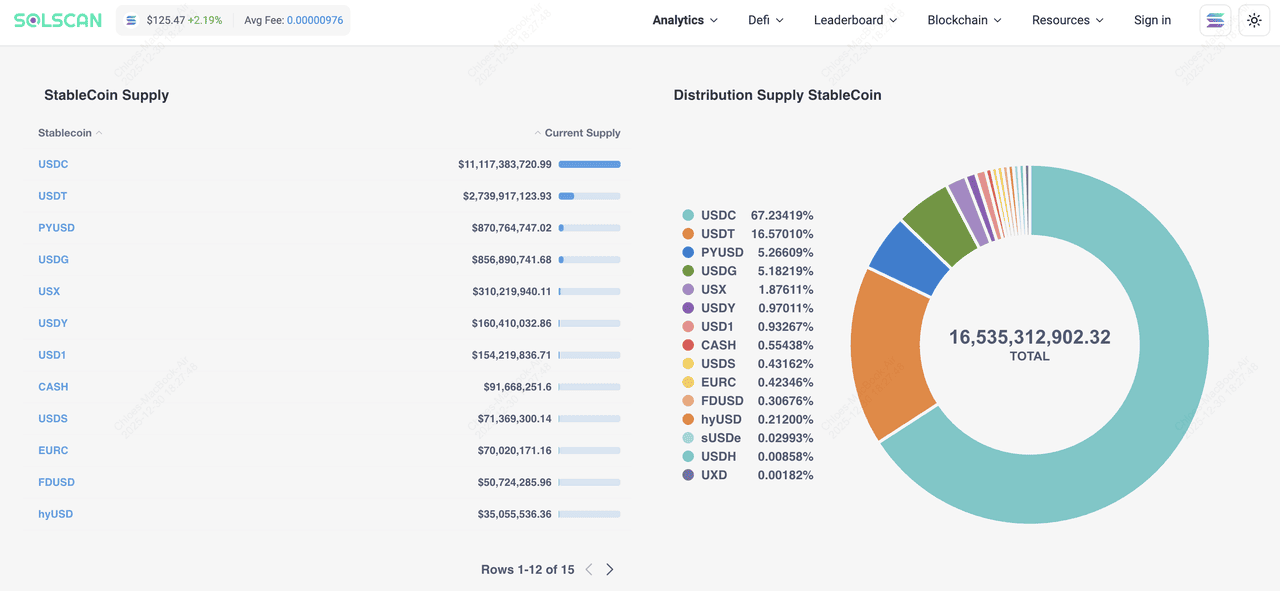
Click the "Analytics" tab for network-wide charts on TPS, daily transactions, active addresses, TVL across DeFi, validator rankings, and epoch progress. Customize views with date ranges and export data.
Step 7: Use Advanced Tools
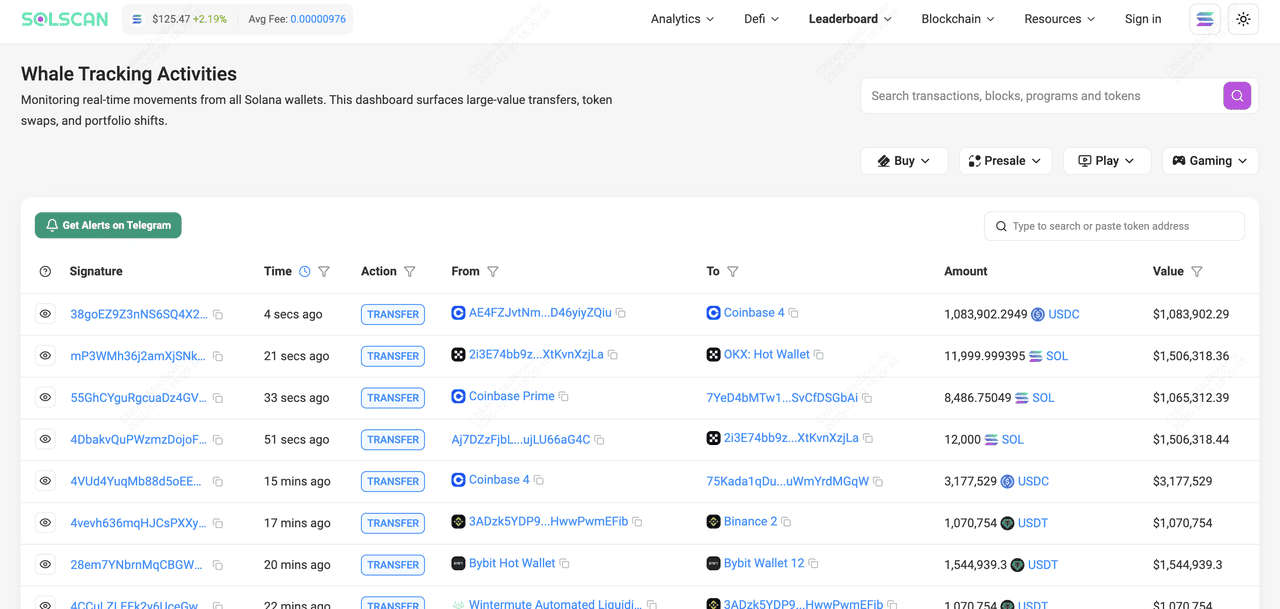
Leverage features like transaction simulation (preview outcomes before signing), scam alerts on suspicious addresses, whale tracking, or API integration for automated monitoring.
Security and Privacy Considerations When Using Solscan
Solscan is read-only and non-custodial, viewing public blockchain data without accessing private keys. Never enter seeds or approve suspicious connections. Post-2024 acquisition, features like scam alerts and transaction simulation help detect risks, but always verify addresses fully and use official solscan.io to avoid phishing sites. Data is public on Solana, so wallet activities are traceable for transparency but not private.
How to Buy Solana (SOL) Directly on the BingX Spot Market
Before you can participate in using Solscan for your transactions, you need to add funds to your Solana Seeker wallet. SOL is a leading layer-1 blockchain token available for trading on BingX. You can access SOL through the spot market and use them within their respective ecosystems, including DeFi protocols and consumer applications, as well as memecoins, DePIN, and NFT platforms on Solana. Here's a step-by-step guide on how to buy SOL on BingX:
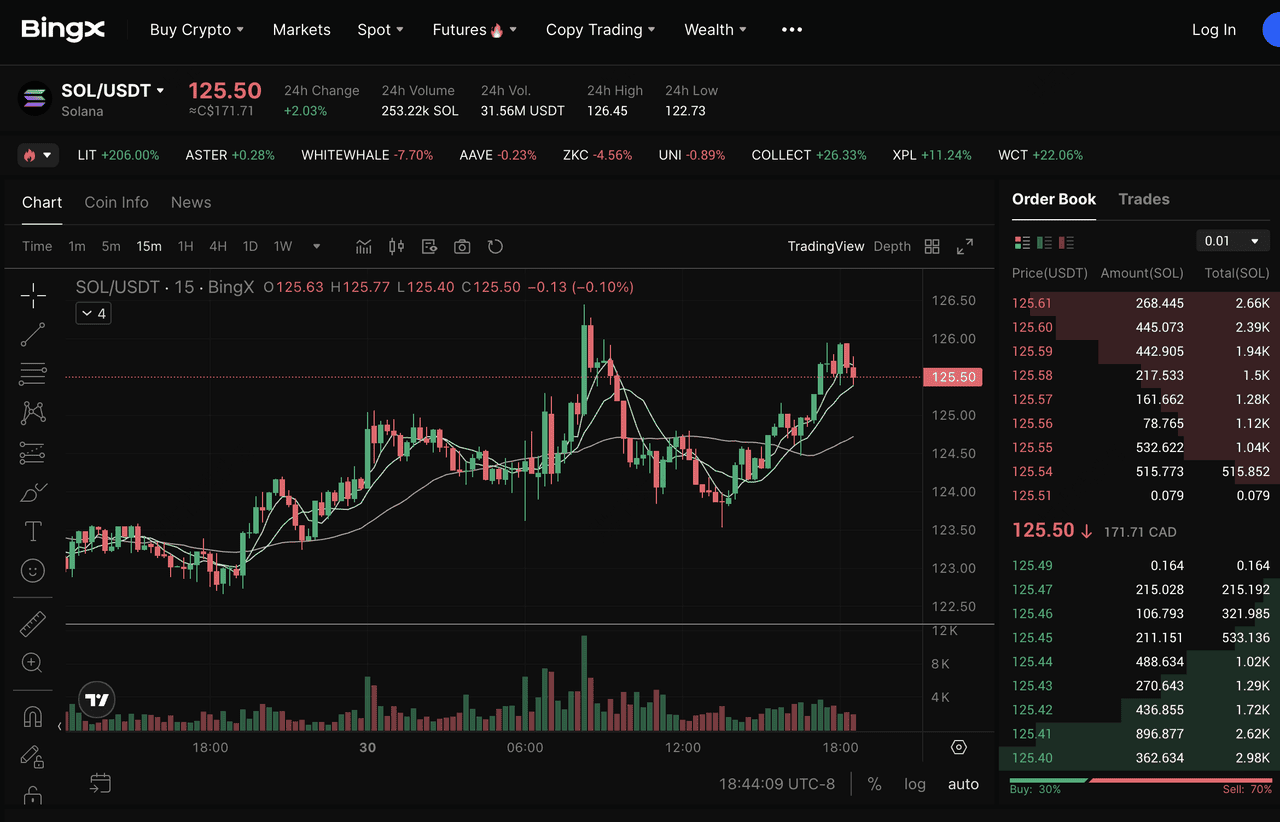
Trading SOL on BingX spot market
Step 1: Log in or Create a BingX Account
Log in to your BingX account. If you don't have one, you can register using an email or mobile number. Completing identity verification (KYC) is required for full access to trading features.
Step 2: Deposit Funds
Go to the Buy Crypto section to deposit funds into your account. BingX supports several payment options such as bank transfer, credit or debit card, and peer-to-peer (P2P) transactions.
Step 3: Find the SOL/USDT Pair
Navigate to the Spot trading section and search for SOL/USDT. Select the pair to view the trading interface. Use BingX AI tools to analyze Solana trends and make smarter trading decisions.
Step 4: Place Your Order
Choose between a Market Order to buy at the current price or a Limit Order to set your preferred entry. Enter the amount and confirm the order.
Conclusion
Solscan remains the premier tool for exploring Solana's vibrant ecosystem in 2025, offering detailed insights into a network with millions of daily users and billions in TVL. Whether verifying trades, analyzing tokens, or monitoring health, its user-friendly features and post-Etherscan enhancements make it essential for anyone in Solana. Visit solscan.io today to track transactions and unlock on-chain transparency.
